
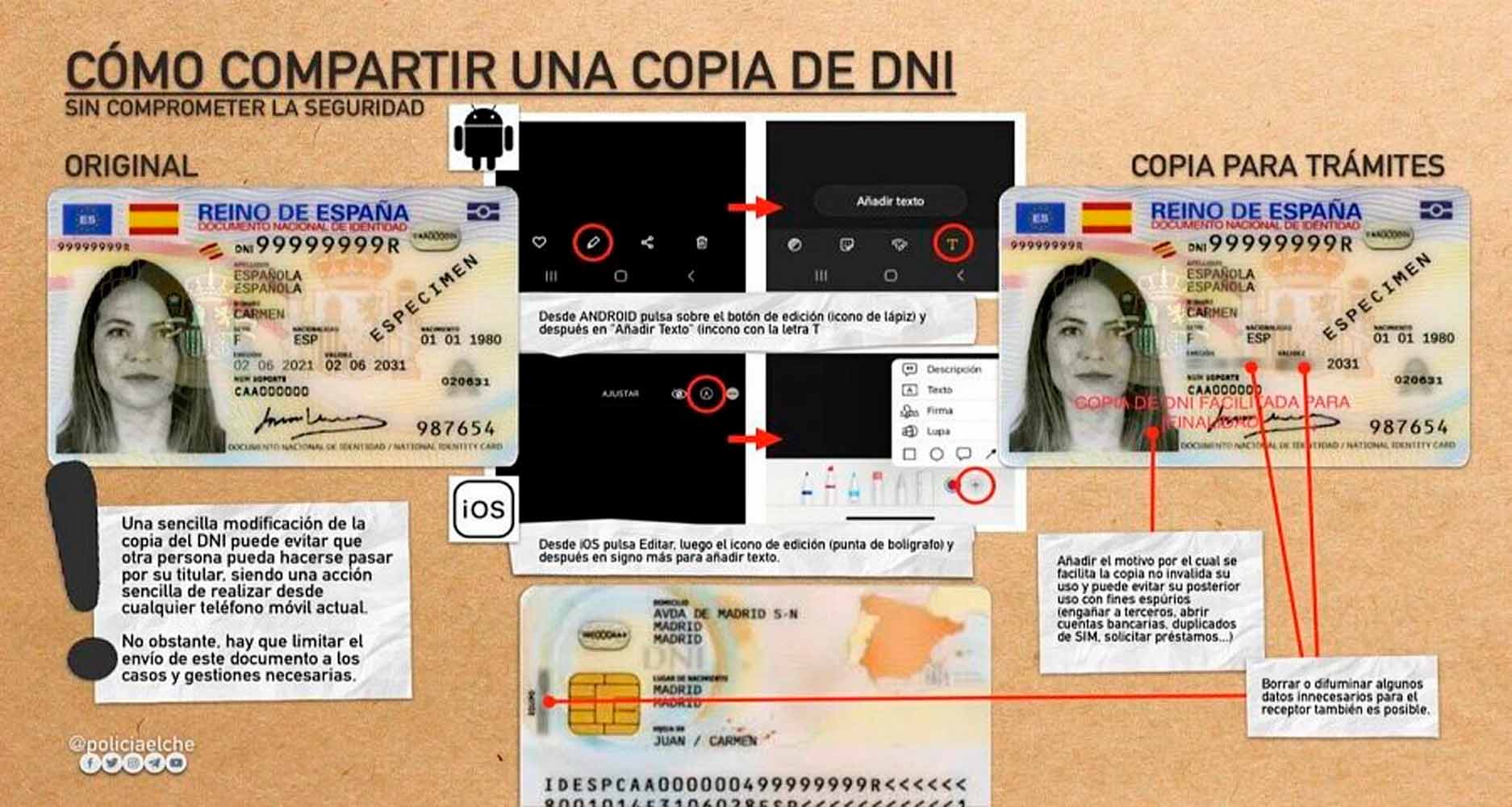
It is clear that sending a photo of our ID to anyone over the internet is a bad idea: we run the risk of it being stolen, copied, or ending up in the wrong—or a stranger’s—hands, where someone could impersonate us, authorize transactions, or carry out illegal activities on our behalf.
Unfortunately, there are procedures that require us to submit data from our ID, so it’s better to use a black-and-white photo with some of the information pixelated and a watermark indicating its authorized use.
It might seem like something any photo editing application could handle, but there have been times when I needed to send an ID immediately and didn’t have time to add a watermark.
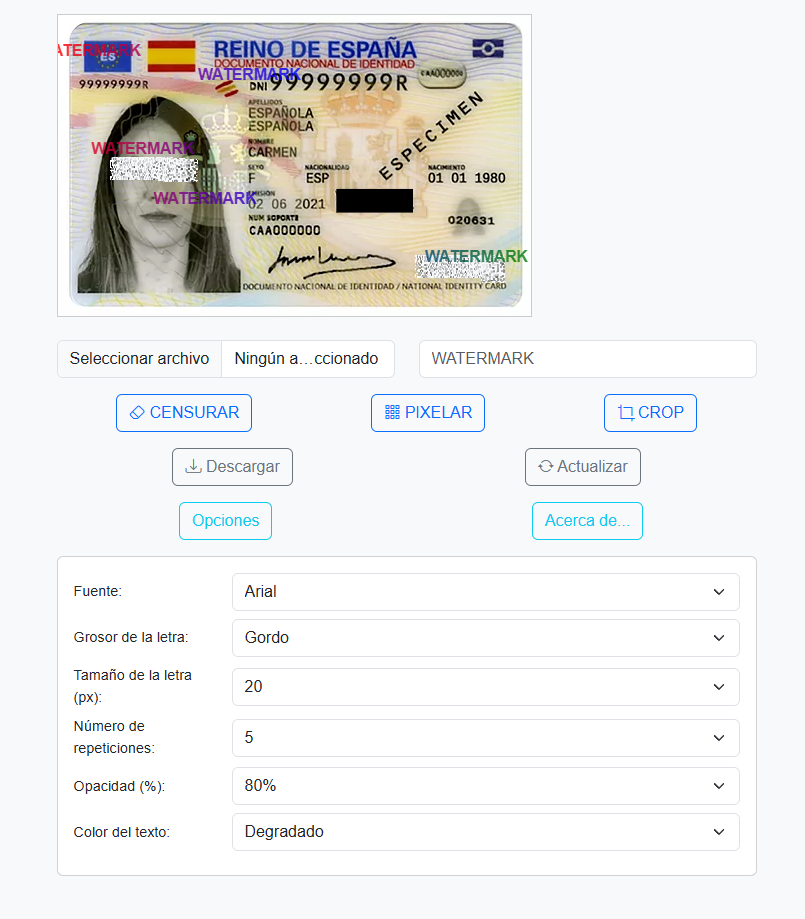
For this reason, I have created a tool to add a watermark to our photos of our ID, passport, or any other identification document, featuring several interesting characteristics:
- First and foremost: No image is ever shared; all editing is done using JavaScript in your own browser, making it completely secure.
- It allows you to edit, censor, pixelate, or crop any part of the image you need, so you can conceal portions of your identifier.
- You can fully customize the watermark: add any text you want, select the font, size, thickness, the number of times it appears, the color of the watermark, its opacity, etc.
- This will generate your own modified image, ready to be shared with all the changes you have made.
The tool is available at: https://sinologic.net/proyectos/watermark/
If it suits you, feel free to bookmark it for whenever you need it.






Join the Sinologic community
Create your free account and join the conversations about VoIP, Asterisk, Kamailio and IP telephony.
The comments section is yours
Sharing knowledge is the best way to learn.